Retrieves a data source object — information that describes the structure and columns of a data source — for a provided data source ID. The response adheres to any limits to a connection’s capabilities and the permissions of the data source and its containing database.To fetch data source rows (i.e. the child pages of a data source) rather than columns, use the Query a data source endpoint.
First, find the containing database’s ID in its Notion URL. The database ID is the 32-character alphanumeric string between the slash following the workspace name (if applicable) and the question mark.
Notion database ID
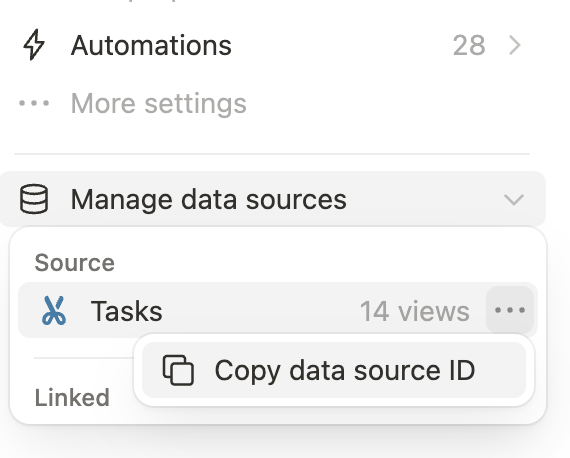
Use Retrieve a database with that database ID. Its data_sources array lists each data source’s ID and name. Use the desired data source ID with this endpoint to retrieve its properties.To get a data source ID from the Notion app directly, the settings menu for a database includes a “Copy data source ID” button under “Manage data sources”:
Screenshot of the 'Manage data sources' menu for a database in Notion, with 'Copy data source ID' button.
Returns a 404 HTTP response if the data source doesn’t exist or if the connection doesn’t have access to it.Each Public API endpoint can return several possible error codes. See the Error codes section of the Status codes documentation for more information.
Data source relations must be shared with your connectionTo retrieve data source properties from database relations, the related database must be shared with your connection in addition to the database being retrieved. If the related database is not shared, properties based on relations will not be included in the API response.
The Notion API does not support retrieving linked data sourcesTo fetch the information in a linked data source, share the original source database with your Notion connection.