

2025‑09‑03, introducing first-class support for multi-source databases. This enables a single database to contain multiple linked data sources — unlocking powerful new workflows.
For more information about data sources, see our FAQs.
However, this change is not backwards-compatible. Most existing database connections must be updated to prevent disruptions.
What’s changing
- Most API operations that used
database_idnow require adata_source_id - Several database endpoints have moved or been restructured to support the new data model
What this guide covers
- A breakdown of what’s new and why it changed
- A step-by-step migration checklist to safely update your connections
Upgrade checklist
Use this checklist to see exactly what must change before you bump Notion-Version to2025-09-03.
Required steps across all of your connections
1
Add a discovery step to fetch and store the
data_source_id to use in subsequent API calls.2
Start sending
data_source_id when creating pages or defining relations3
Migrate database endpoints to data sources.
4
If you use the Search API, update result handling to process data source objects and possible multiple results per database
5
If using the TypeScript SDK, upgrade to the correct version and set the new version in your client
6
If using webhooks, handle the new shape and bump your subscription version
Developer action requiredThese steps primarily require code changes in your repositories or low-code platform. They cannot be fully completed through the Notion connection management UI.
Step-by-step guide
Step 1: Add a discovery step to fetch and store the data_source_id
First, identify the parts of your system that process database IDs. These may include:
- Responses of list and search APIs, e.g. Search.
- Database IDs provided directly by users of your system, or hard-coded based on URLs in the Notion app.
- Events for connection webhooks (covered in the Webhook changes section below).
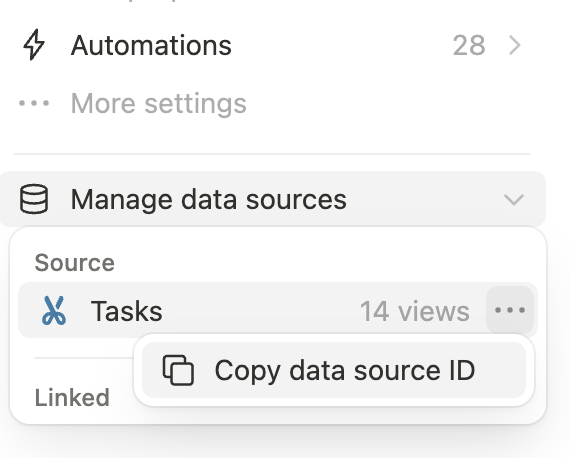
GET /v1/databases/:database_id) endpoint to retrieve a list of child data_sources. For this new call, make sure to use the 2025-09-03 version in the Notion-Version header, even if the rest of your API calls haven’t been updated yet.
Step 2: Provide data source IDs when creating pages or relations
Some APIs that acceptdatabase_id in the body parameters now support providing a specific data_source_id instead. This works for any API version, meaning you can switch over at your convenience, before or after upgrading these API requests to use 2025-09-03:
- Creating a page with a database (now: data source) parent
- Defining a database relation property that points to another database (now: data source)
Create page
In the Create a page API, look for calls that look like this:data_source_id parents instead, using the code from Step 1 to get the ID of a database’s data source:
Create or update database
For database relation properties, the API will include both adatabase_id and data_source_id fields in the read path instead of just a database_id.
In the write path, switch your connection to only provide the data_source_id in request objects.
Step 3: Migrate database endpoints to data sources
The next step is to migrate each existing use of database APIs to their new data source equivalents, taking into account the differences between the old/v1/databases APIs and new /v1/data_sources APIs:
- Return very similar responses, but with
object: "data_source", starting from2025-09-03 - Accept a specific data source ID in query, body, and path parameters, not a database ID
- Exist under the
/v1/data_sourcesnamespace, starting from version2025-09-03- Require a custom API request with
notion.requestif you’re using the TypeScript SDK, since we won’t upgrade to SDK v5 until you get to Step 4 (below).
- Require a custom API request with
Retrieve a database
Create a database
Update a database
Search
Retrieve database
Before (2022-06-28):- Retrieving a database with multiple data sources fails with a
validation_errormessage. - For relation properties: across all API versions, both the
database_idanddata_source_idare now included in the response object.
-
The Retrieve Database API is now repurposed to return a list of
data_sources(each with anidandname, as described in Step 1). -
The Retrieve Data Source API is the new home for getting up-to-date information on the properties (schema) of each data source under a database.
- The
objectfield is always"data_source"and theidis specific to the data source. - The
parentobject now identifies thedatabase_idimmediate parent of the data source. - The database’s parent (i.e. the data source’s grandparent) is included as a separate field,
database_parent, on the data source response. - You can’t use a database ID with the retrieve data source API, or vice-versa. The two types of IDs are not interchangeable.
- The
Query databases
Before (2022-06-28):notion.request(...), until you upgrade to the next major version as part of Step 4.
Create database
Before (2022-06-28):-
In
2022-06-28, the Create Database API created a database and data source, along with its initial default view. -
For relation properties: across all API versions, both the
database_idanddata_source_idare now included in the response object.- When providing relation properties in a request, you can either use
database_id,data_source_id, or both, prior to making the API version upgrade. - We recommend starting by switching your connection over to passing only a
data_source_idfor relation objects even in2022-06-28to precisely identify the data source to use for the relation and be ready for the2025-09-03behavior.
- When providing relation properties in a request, you can either use
-
Continue to use the Create Database API even after upgrading, when you want to create both a database and its initial data source.
propertiesfor the initial data source you’re creating now go underinitial_data_source[properties]to better separate data source specific properties vs. ones that apply to the entire database.- Other parameters apply to the database and continue to be specified at the top-level when creating a database (
icon,cover,title).
-
Only use the new Create Data Source API to add an additional data source (with a new set of
properties) to an existing database. -
For relation properties: You can no longer provide a
database_id. Notion continues to include both thedatabase_idanddata_source_idin the response for convenience, but the request object must only containdata_source_id.
Update database
Before (2022-06-28):-
In
2022-06-28, the Update Database API was used to update attributes that related to both a database and its data source under the hood. For example,is_inlinerelates to the database, butpropertiesdefines the schema of a specific data source. -
For relation properties: across all API versions, both the
database_idanddata_source_idare now included in the response object.- When providing relation properties in a request, you can either use
database_id,data_source_id, or both, prior to making the API version upgrade. - We recommend starting by switching your connection over to passing only a
data_source_idfor relation objects even in2022-06-28to precisely identify the data source to use for the relation and be ready for the2025-09-03behavior.
- When providing relation properties in a request, you can either use
-
Continue to use the Update Database API for attributes that apply to the database:
parent,title,is_inline,icon,cover,in_trash.parentcan be used to move an existing database to a different page, or (for public connections), to the workspace level as a private page. This is a new feature in Notion’s API.coveris not supported whenis_inlineistrue.
-
Switch over to the Update Data Source API to modify attributes that apply to a specific data source:
properties(to change database schema),in_trash(to archive or unarchive a specific data source under a database),title.- Changes to one data source’s
propertiesdoesn’t affect the schema for other data source, even if they share a common database. - For relation properties: You can no longer provide a
database_id. Notion continues to include both thedatabase_idanddata_source_idin the response for convenience, but the request object (to Update Data Source) must only containdata_source_id.
- Changes to one data source’s
Step 4: Handle search results with data sources
Before (2022-06-28):- If any Notion users add a second data source to a database, existing connections will not see any search results for that database.
-
The Search API now only accepts
filter["value"] = "page" | "data_source"instead of"page" | "database"when providing afilter["type"] = "object". Make sure to update the body parameters accordingly when upgrading to2025-09-03.- Currently, the search behavior remains the same. The provided query is matched against the database title, not the data source title.
-
Similarly, the search API response returns data source IDs & objects.
- Aside from the IDs and
object: "data_source"in these entries, the rest of the object shape of search is unchanged. - Since results operate at the data source level, they continue to include
properties(database schema) as before. - If there are multiple data sources, all of them are included in the search response. Each of them will have a different data source ID.
- Aside from the IDs and
Step 5: Upgrade SDK (if applicable)
Introducing
@notionhq/client v5.0.0v5 of the SDK is now available:If you see an even newer version (e.g. v5.0.2) at the time you’re following these steps, we recommend upgrading directly to the latest version to unlock more enhancements and bugfixes, making the upgrade smoother.2025-09-03 suite of endpoints manually, we recommend completing the migration by upgrading to the next major version release, v5.0.0, via your package.json file (or other version management toolchain.)
The code snippets under Step 3 include the relevant syntax for the new notion.dataSources.* and notion.databases.* methods to assist in your upgrade. Go through each area where you used a manual notion.request(...) call, and switch it over to use one of the dedicated methods. Make sure you’re setting the Notion version at initialization time to 2025-09-03.
Note that the List databases (deprecated) endpoint, which has been removed since version 2022-02-22, is no longer included as of v5 of the SDK.
Step 6: Upgrade webhooks (if applicable)
Introducing webhook versioning
When creating, editing, or viewing an connection webhook subscription in Notion’s connection settings, there’s a new option to set the API version that applies to events delivered to your webhook URL: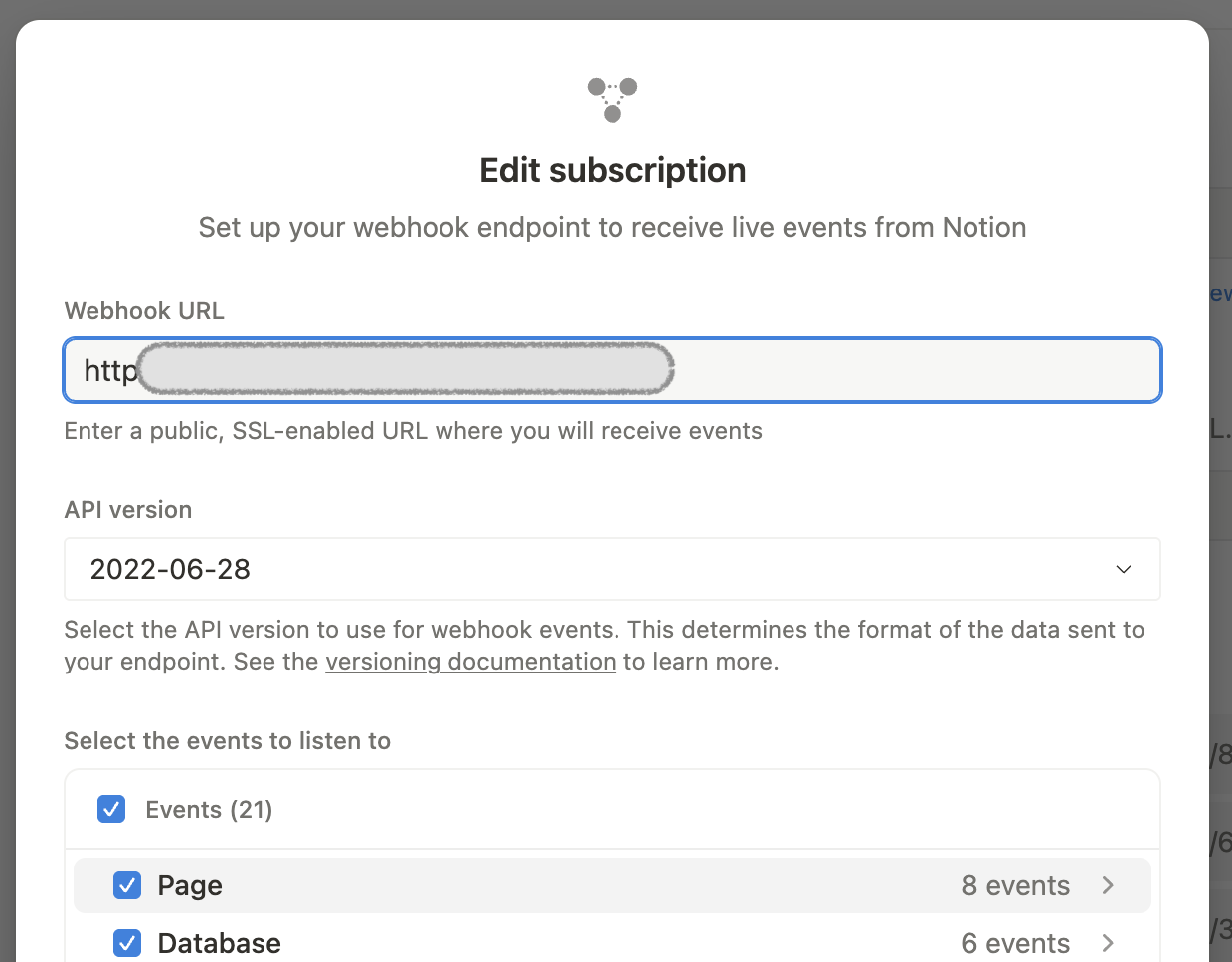
Screenshot of the connection webhook "Edit subscription" form, with the new "API version" dropdown menu.
2025-09-03 API version.
After you’ve tested your webhook endpoint to ensure the new events are being handled correctly for some period of time (for example, a few hours), you can clean up your system to only expect events with the updated shape. Read on below for specific details on what’s changed in 2025-09-03.
New and modified event types
Newdata_source specific events have been added, and the corresponding existing database events now apply at the database level.
Here’s a breakdown of how event types change names or behavior when upgraded to 2025-09-03:
Updates to parent data
With the2025-09-03 version, all webhooks for entities that can have data sources as parents now include a new field data_source_id under the data.parent object.
This applies to:
- Page events (
page.*) - Data source events (the
data_source.*ones listed above) - Database events (
database.*), but only in rarer cases where databases are directly parented by another database (i.e. wikis)
page.created event has the following example shape (note the new data.parent.data_source_id field):
parent.data_source_id to distinguish which data source the page lives in.
What’s Next
Read the frequently asked questions for this API change: After this upgrade, you can continue to2026-03-11 by following the 2026-03-11 upgrade guide.