

An example Link Preview for a GitHub workflow
- Trello links can unfurl information about a linked task.
- Figma links can share a linked board’s image preview and corresponding metadata.
- Amplitude links can share a linked graph in an iFrame along with an interface to modify the graph.
- Slack links can unfurl a linked message’s content and author.
How Link Previews work
A user shares a Link Preview enabled URL. Notion detects supported URLs based on the Link Preview connection settings for that service. If it’s the first time that a user has shared a supported URL, then Notion kicks off an auth flow to authenticate with the source service. After the user authenticates, Notion and the source service exchange tokens that allow Notion to show a Link Preview in the user’s workspace.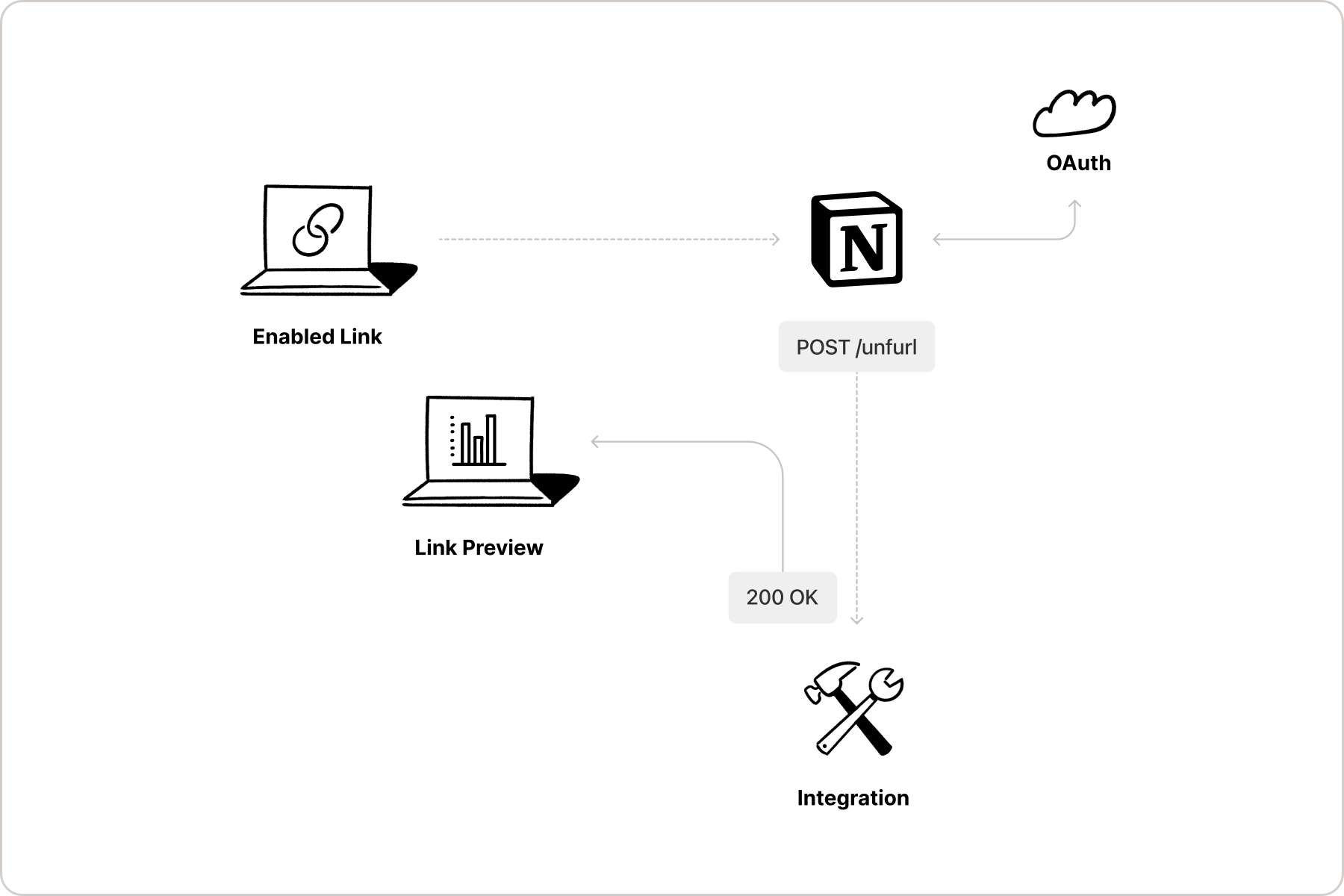
A diagram of the Link Preview flow
Link Previews vs. Embed blocks
If you have used Embed blocks in Notion’s UI before, you may be wondering how Link Previews differ from them. Embeds allow Notion users to embed online content, such as a webpage, PDF, and more, directly in a Notion page. This allows users to preview the content without leaving Notion. Link Previews are similar, but they display authenticated, structured content from a supported service. Rather than embedding the full content of a webpage or file being shared, Link Previews pull data from a linked page and display it in an unfurled format. Since Link preview connections require OAuth 2.0 authentication, unfurled link content will update as the data being shared updates. For example, if a GitHub pull request is shared as a Link Preview, the data displayed in the preview will update as the pull request updates (e.g. when it is merged).To learn more about Embed blocks, read our reference docs and Help Centre guide.